Why Is My Website Not Ranking on Google? 9 Checks to Make
A practical diagnosis guide for site owners whose pages are indexed but not ranking where they expected.

Why is my website not ranking? Usually, it is because Google can find the page but does not yet see it as the best answer for the search. The cause may be indexing, weak search intent match, thin content, poor internal links, slow pages, duplicate signals, or simply not enough authority for the keyword.
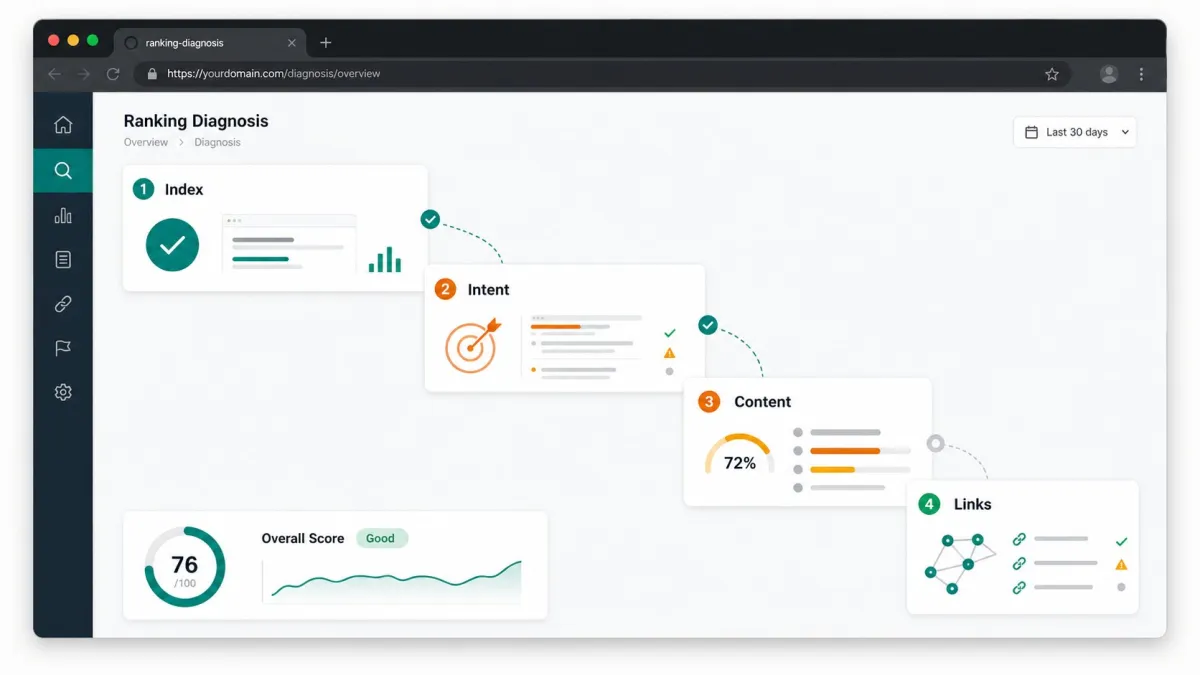
The frustrating part is that many site owners check one thing, see that the page is ???live,??? and assume SEO should work. A live page is only the beginning. Ranking requires a chain: Google must crawl it, index it, understand it, trust it enough, and choose it over other pages for a specific query.
This guide gives you a practical diagnosis order. Do not rewrite the whole site first. Do not publish ten more posts first. Work through the checks below and you will usually find the real blocker faster.
Table of contents
- Is the page not ranking or not indexed?
- Are you targeting a keyword that is too competitive?
- Does the page match search intent?
- Is the content useful enough to deserve the result?
- Does the page have enough internal support?
- Are technical issues holding it back?
- Does the page have enough authority signals?
- What should you do next?
- FAQ
Is the page not ranking or not indexed?
The first check is simple: make sure you are solving the right problem. A page that is not indexed is not eligible to rank. A page that is indexed but buried on page five has a different problem.
Search for the exact URL in Google Search Console if you have access. Use the URL Inspection tool to see whether Google knows the page, whether it is allowed to be indexed, and when it was last crawled. If Search Console is not connected yet, use a quick site search such as site:yourdomain.com/page-url, but treat that as a rough check, not a full diagnosis.
If the page is not indexed, look for blockers: noindex tags, robots.txt restrictions, canonical tags pointing somewhere else, redirect chains, server errors, or a page that is too new. If the page is indexed, continue with the next checks.
There is a related but separate issue: a brand-new website may not have enough trust or crawl history yet. That does not mean anything is broken. It means you need clean technical access, useful pages, internal links, and patience.
Are you targeting a keyword that is too competitive?
A common reason a website is not ranking is that the target keyword is too broad for the current site. A small site can publish a decent article about ???SEO??? and still have almost no chance against large publishers, software companies, and years-old authority sites.
This does not mean you should give up. It means you should target the part of the topic where your page can be the most helpful. Instead of trying to rank for ???SEO,??? a small business site might target ???SEO checklist for plumbers,??? ???how to improve service page SEO,??? or ???why is my local business not showing in Google.???
Look in Search Console for impressions on longer phrases. If a page gets impressions for specific questions but not the broad keyword, that is a clue. Rewrite around the specific intent first. You can build toward broader rankings later.
If the page has no impressions at all, check whether the topic has demand, whether the page is internally linked, and whether the title clearly matches how people search. A page can be technically fine and still invisible if nobody searches the language you used.
Does the page match search intent?
Search intent is the gap between what the searcher wants and what your page actually delivers. This is one of the biggest reasons pages do not rank, even when they mention the keyword many times.
For example, someone searching ???why is my website not ranking??? does not want a sales page. They want a diagnostic guide. Someone searching ???SEO audit tool??? is much closer to trying a tool. Someone searching ???how long does SEO take??? wants timelines and expectations.
Open the current search results for the keyword and look at the page types. Are they guides, tools, product pages, local businesses, comparison pages, or videos? If Google mostly ranks guides and your page is a short service page, the mismatch may be the issue.
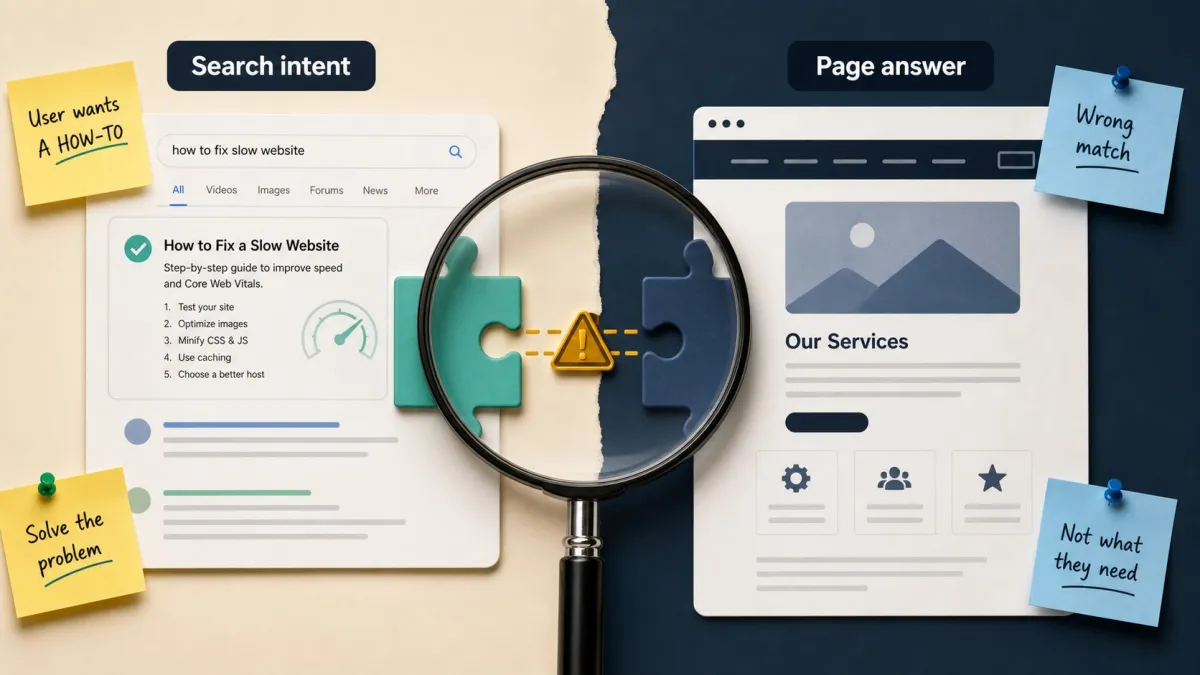
Fixing intent often means changing the page structure, not just adding more words. Put the answer at the top. Add the sections people expect. Remove unrelated sales copy from the main answer. If the page should be a guide, make it a guide. If it should be a service page, give visitors the service details they need to act.
Is the content useful enough to deserve the result?
Thin content is not only about word count. A 2,000-word article can still be thin if it repeats obvious advice. A 900-word page can be strong if it answers the exact question with examples, steps, and clear next actions.
Ask whether your page gives something better than the current results. Does it explain the problem in plain English? Does it show how to check the issue? Does it help the reader decide what to do next? Does it include examples from the kind of site the reader owns?
For a service page, useful content may include locations served, common problems, pricing context, proof, FAQs, before-and-after examples, and a clear contact path. For a blog post, useful content may include definitions, screenshots, checklists, mistakes, and links to the next related guide.
If the page is mostly generic, rewrite it around the specific visitor. Google does not need another vague page that says ???quality content matters.??? The reader needs a page that helps them make one better decision.
Does the page have enough internal support?
Internal links help Google discover pages and understand which pages matter. If an important page is only linked from a sitemap, it may look less important than pages linked from navigation, related posts, and strong pages.
Find three to five relevant pages on your site that can naturally link to the target page. Use descriptive anchor text. Do not force exact-match anchors everywhere. A useful internal link should help the reader continue the journey.
For example, a guide about ranking problems can link to a post about getting your website to show up on Google, a guide about traffic drops, and a practical tool page where the user can check problems.
If you want to diagnose the page instead of guessing, run a website SEO check and look for a mix of crawl, content, and Search Console signals. The point is to find the next useful fix, not to collect more warnings.
Are technical issues holding it back?
Technical issues do not always stop rankings, but the important ones can. Check status codes, canonical tags, indexability, mobile usability, broken internal links, oversized images, and slow above-the-fold loading.
A slow page with weak content is still weak. A fast page that is blocked from indexing is still invisible. Prioritize technical fixes by impact: access first, indexing second, page experience third, polish last.
If several important pages have the same problem, fix the template instead of editing one page at a time. A duplicated title pattern, missing canonical setup, or oversized hero image may affect many URLs.

Does the page have enough authority signals?
Some pages do not rank because the competition has stronger authority. Authority can come from external links, brand demand, topical depth, reviews, citations, expert content, and the internal structure of the site.
This is where many beginners get discouraged. You may do everything ???right??? and still not outrank a page from a trusted domain tomorrow. That is normal. Your job is to build credibility over time while targeting realistic opportunities.
Start with internal authority. Build related pages that support the topic. Link them logically. Improve the pages that already have impressions. Then consider external promotion: partnerships, local listings, useful resources, mentions, and content worth referencing.
What should you do next if your website is not ranking?
Pick one page and one query. Check whether the page is indexed. Check whether the query is realistic. Compare the page to the intent of current results. Improve the opening answer, headings, examples, and internal links. Record the date of the change.
Then wait long enough to collect data. Do not change everything every day. Search Console data is more useful when you can connect a change to a date.
If you need a structured next step, use SerpCue's SEO audit tool to catch technical blockers and then use Search Console data to choose pages that already have a chance. Ranking problems feel messy until you put them in order.
FAQ
Why is my website not ranking even though it is indexed?
Indexing only means the page is eligible to appear. It still needs to match search intent, provide enough value, have internal support, load well, and compete with pages that may have stronger authority.
Should I change my keywords if my page is not ranking?
Maybe. If the keyword is too broad or the results show a different intent, adjust the page toward a more specific phrase that better matches what your page can answer.
How often should I check rankings?
Weekly is usually enough for small sites. Daily checks can create noise. Watch trends in impressions, clicks, average position, and CTR rather than obsessing over one ranking snapshot.


