Image Optimization for SEO: Size, Speed, Alt Text, and LCP
A practical image optimization for SEO guide covering file size, WebP, responsive images, lazy loading, alt text, and LCP performance.
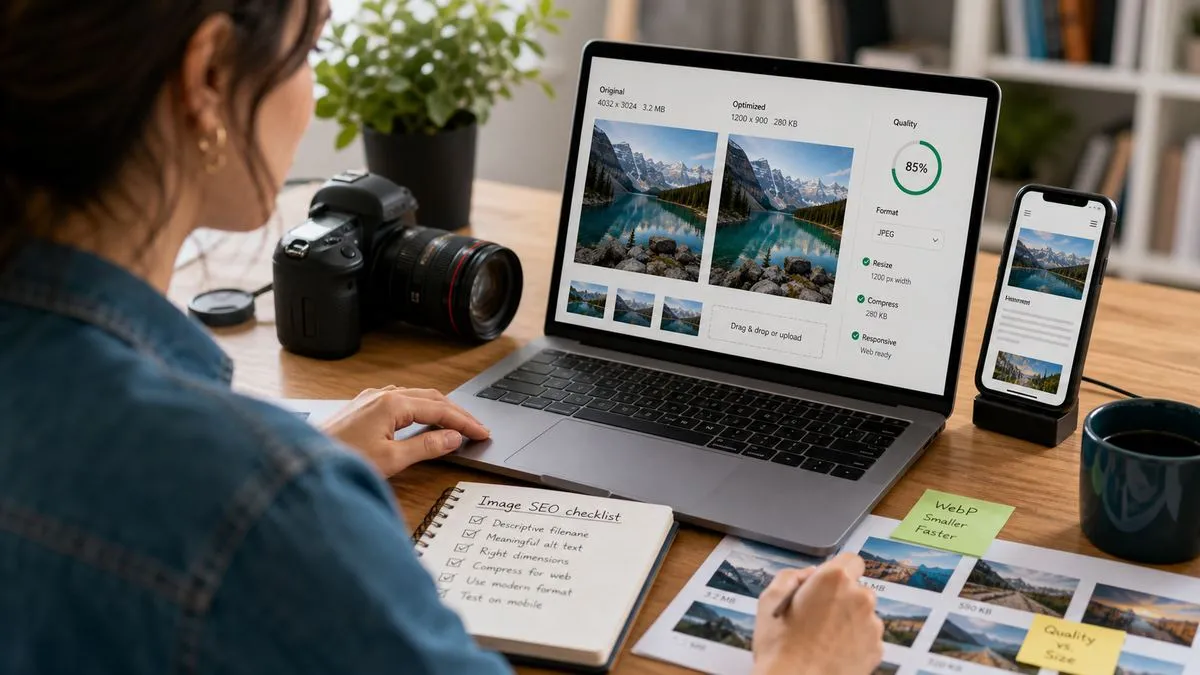
Image optimization for SEO means making images useful to people and easy for browsers to load: choose the right size, compress the file, use modern formats, add accurate alt text, set width and height, lazy-load non-critical images, and keep the hero image fast enough to protect LCP.
Images can help a page rank and convert, but only when they support the content. A beautiful 2 MB image that delays the main page content can hurt performance. A tiny compressed image with vague alt text can hurt usefulness. Good image SEO balances clarity, speed, accessibility, and layout stability.
Table of contents
- What does image optimization for SEO mean?
- Which image size is right for SEO?
- Which image format should you use?
- How does alt text fit into image optimization?
- How should lazy loading and LCP images be handled?
- What is a practical image optimization checklist?
- FAQ
What does image optimization for SEO mean?
Image optimization for SEO is the work of making each image serve a clear purpose without slowing the page down. It includes technical choices such as dimensions, compression, format, lazy loading, and file naming. It also includes editorial choices such as whether the image explains the topic and whether the alt text helps someone who cannot see it.
Search engines cannot treat images as decoration only. Images can appear in image search, support the meaning of a page, influence engagement, and affect Core Web Vitals. The same image can help or hurt depending on how it is used.
For example, a product photo on an ecommerce page is important content. A chart in a data article may be the reason the page is useful. A hero image on a blog post can make the page feel polished, but if it is huge and lazy-loaded incorrectly, it may become the Largest Contentful Paint element and delay the page.
The practical rule is simple: use images that help the reader, deliver only as many pixels as the layout needs, compress the file, and avoid making the browser guess the layout.
Which image size is right for SEO?
The right image size is the size the page actually displays, plus enough resolution for sharpness on common screens. If an image is displayed at 600 pixels wide, sending a 2400-pixel-wide file wastes bandwidth. If it is displayed at 1200 pixels wide, sending a 400-pixel image can look blurry.
For most blog content, inline images around 800 to 1200 pixels wide are enough. Featured images may be wider because they appear in social previews, blog cards, or larger hero areas. The exact number depends on your template. What matters is that the delivered file matches the displayed size as closely as practical.
Check this in a browser. Open the page, inspect the image, and compare the natural image dimensions with the displayed dimensions. If the natural image is much larger than what visitors see, create a smaller version or use responsive image markup.
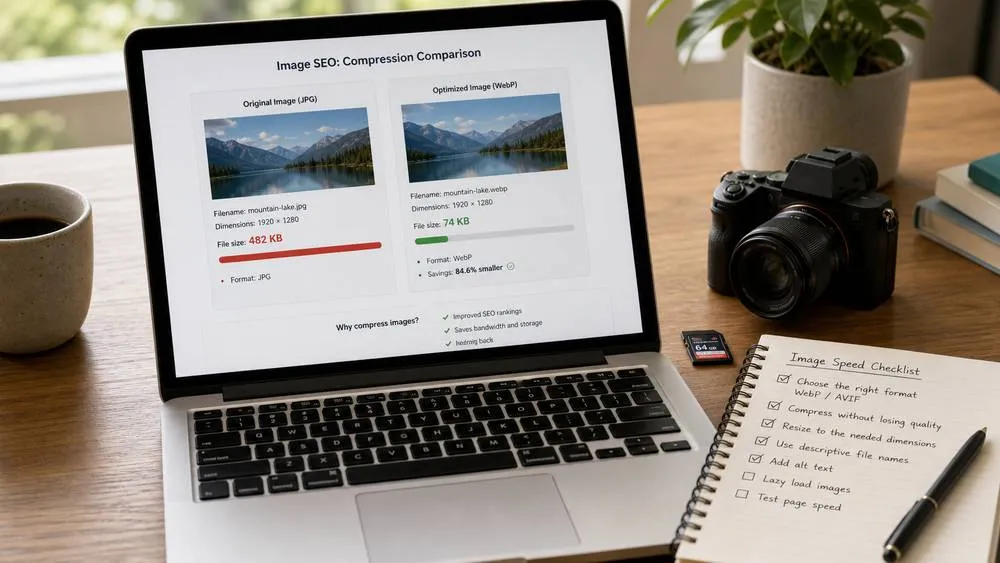
File weight matters too. A 60 KB WebP image and a 600 KB JPEG can look similar at blog-card size, but the heavier file delays loading. There is no universal limit, but for ordinary inline blog images, keeping files under roughly 70 to 100 KB is often realistic. Larger hero images may need more room, but they should still be intentionally compressed.
Which image format should you use?
Use the format that gives good visual quality at the lowest reasonable file size. For most website photos, WebP is a strong default because it usually compresses better than JPEG while keeping broad browser support. AVIF can be even smaller in some cases, but you should test compatibility and quality. JPEG is still acceptable for photos when WebP is not available. PNG is best reserved for graphics that need transparency or sharp flat colors, not large photographs.
Do not convert everything blindly. A simple logo may be better as SVG. A screenshot with small text may need different compression settings than a lifestyle photo. A transparent icon may need PNG or SVG. A large photographic hero image usually benefits from WebP or AVIF.
Also name files clearly. The filename is not a magic ranking trick, but `image-optimization-example.webp` is easier to manage than `IMG_4837-final-final2.jpg`. Keep names short, descriptive, lowercase, and separated by hyphens.
Compression is a balance. If the image becomes muddy, noisy, or unreadable, you went too far. If the image looks identical but is still several hundred KB for a small display slot, you probably have room to compress more. The goal is not the smallest possible number; it is the smallest useful file.
How does alt text fit into image optimization?
Alt text is part of image optimization because it explains the image to screen readers and gives search engines useful context. Good alt text is specific, natural, and tied to the purpose of the image on the page.
If the image shows a dashboard measuring image file sizes, say that. If it shows a service technician, say what the technician is doing. If the image is decorative and adds no information, empty alt text can be appropriate in some contexts. Do not stuff keywords into every image. That makes the page less accessible and less trustworthy.
This article is focused on image delivery and performance. For writing better descriptions, use the dedicated alt text for images guide. The short rule is: describe the useful content of the image, not the keyword you wish the page ranked for.
Alt text should also match the surrounding section. An image under a section about LCP should not have alt text about generic SEO success. An image under a service-page section should describe the real service context. The more the image, alt text, and nearby text agree, the more useful the page feels.
How should lazy loading and LCP images be handled?
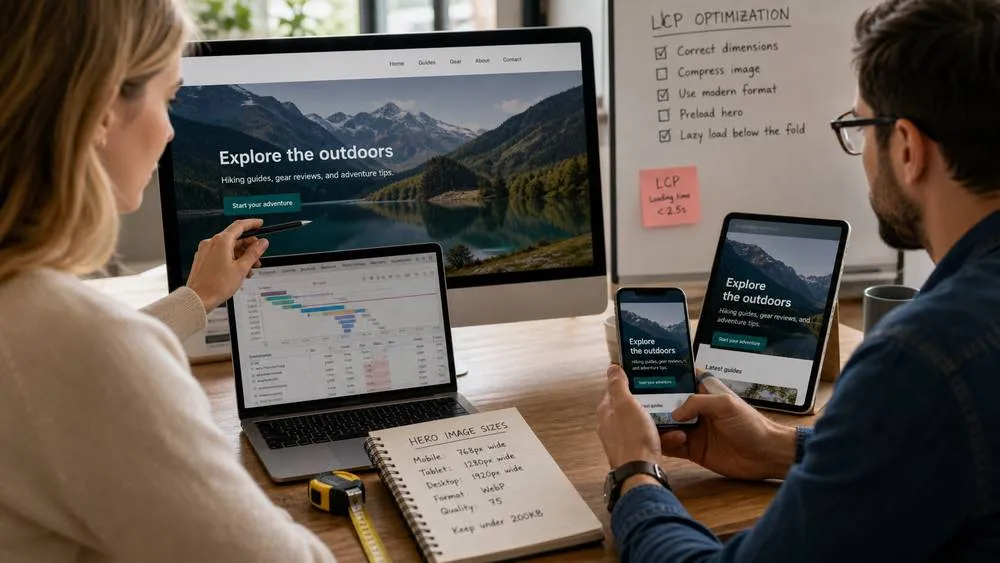
Lazy loading is useful for images below the first screen because it lets the browser focus on what the visitor needs immediately. But lazy loading the main hero image can delay the Largest Contentful Paint if that image is the largest visible element when the page loads.
The practical rule is this: do not lazy-load the main above-the-fold image if it is likely to be the LCP element. Let the browser discover it early, set explicit width and height, and consider using fetch priority where appropriate. Lazy-load images further down the article.
Width and height attributes matter because they reserve layout space before the image loads. Without them, the browser may not know the image's aspect ratio and the page can shift. Even when your CSS makes images responsive, explicit dimensions help the browser calculate layout.
If Lighthouse reports that the LCP image should not use lazy loading, pay attention. That message usually means the page's most important visual element is being delayed. If it reports that an image is larger than needed for its displayed dimensions, create a smaller responsive version.
For the wider performance context, read Core Web Vitals explained. Image handling is only one part of page speed, but it is one of the easiest parts for site owners to improve without rewriting the whole site.
What is a practical image optimization checklist?
Use this checklist before publishing or updating a page with important images:
- Purpose: Does the image help the reader understand or trust the page?
- Dimensions: Is the delivered image close to the displayed size?
- Format: Is it WebP, AVIF, JPEG, PNG, or SVG for the right reason?
- Compression: Is the file small enough without looking poor?
- Alt text: Does the alt text describe the useful content?
- Width and height: Are dimensions included to reduce layout shifts?
- Lazy loading: Are below-the-fold images lazy-loaded?
- LCP: Is the main above-the-fold image discoverable early?
- Mobile: Does the image crop and scale well on phones?
- Indexability: Are important images accessible and not blocked?
For site owners, the biggest wins usually come from oversized hero images, uncompressed blog images, missing dimensions, and lazy-loaded LCP images. Start there. You do not need to chase every theoretical optimization before fixing the obvious images that slow important pages.

When you update images, test the page again. Check Lighthouse, PageSpeed Insights, and the real page in a browser. Also check the live article after publishing because CMS editors sometimes rewrite image markup or strip attributes. If you want a quick audit pass, SerpCue's SEO audit tool can help spot image and on-page issues alongside the rest of the page.
FAQ
Do images help SEO?
Images can help SEO when they make the page more useful, accessible, and engaging. They can also appear in image search and support topical context. But oversized or poorly handled images can hurt speed and user experience.
What is the best image format for SEO?
There is no single best format for every image. WebP is a practical default for many photos. AVIF can be smaller in some cases. JPEG is still fine when needed. PNG or SVG may be better for graphics, logos, transparency, or sharp interface elements.
Should every image have alt text?
Every meaningful image should have useful alt text. Decorative images can sometimes use empty alt text so screen readers skip them. The alt text should describe the image's purpose, not repeat keywords unnaturally.
Is lazy loading good for SEO?
Lazy loading is good for below-the-fold images because it reduces initial page weight. It can be bad for the main above-the-fold image if that image is the LCP element. Do not lazy-load your most important visible hero image.
How small should blog images be?
There is no exact rule, but ordinary inline blog images often can be compressed below 70 to 100 KB without looking poor. Featured images may be larger depending on layout. Compare the displayed dimensions with the delivered file size.


