On-Page SEO Checklist: 12 Steps for Site Owners
A practical on-page SEO checklist for improving titles, headings, content, links, images, schema, and Search Console results.

On-page SEO is the work you do on one page so search engines and visitors can understand it faster: the title, meta description, headings, content, links, images, and structured data. If you own a site and do SEO yourself, start here before chasing complicated tactics. A well-optimized page has one clear purpose, answers the search intent quickly, and gives readers an obvious next step.
This on-page SEO checklist is built for site owners, not SEO teams with ten tools open. Use it on one important page at a time: a service page, product page, category page, or blog post that already matters to your business. You do not need to fix everything across the whole site today. You need a repeatable way to improve the pages that can actually earn clicks.
Table of contents
- What is on-page SEO?
- On-page SEO checklist: what should you fix first?
- How do you match search intent?
- How should you write titles, meta descriptions, and headings?
- What makes the page useful enough to rank?
- How do links, images, and schema support on-page SEO?
- How do you measure whether on-page changes worked?
- FAQ
What is on-page SEO?
On-page SEO means improving the parts of a specific page that affect relevance, clarity, usability, and click-through rate. It includes the visible content people read and the HTML signals search engines use to interpret the page.
Typical on-page SEO elements include:
- Search intent: whether the page answers what the searcher actually wanted.
- Title tag: the page title Google may show in search results.
- Meta description: the summary that can influence whether people click.
- H1 and headings: the structure that explains the topic and subtopics.
- Main content: the answer, examples, proof, steps, and supporting detail.
- Internal links: links that guide visitors and help Google understand related pages.
- Images and alt text: visual support that loads quickly and has descriptive alternatives.
- Schema markup: structured data that clarifies the page type and, when appropriate, FAQs.
On-page SEO is different from off-page SEO, which includes backlinks and mentions from other websites. It is also different from site-wide technical SEO, although the two overlap. A page with a strong title and helpful content can still struggle if it loads slowly, has broken links, or cannot be crawled. That is why a practical SEO workflow usually combines an on-page review with a basic technical audit.
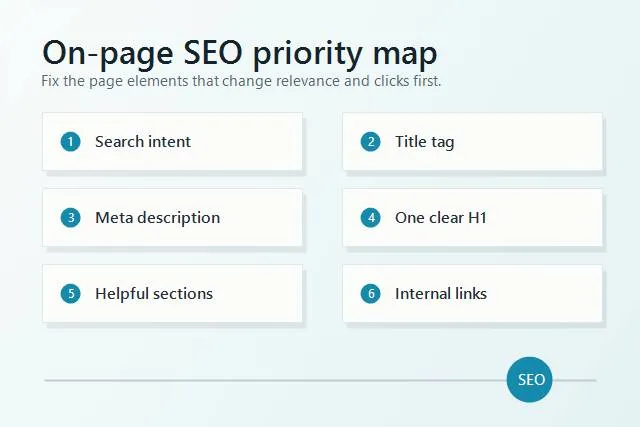
Start with the on-page SEO elements that change relevance and clicks before polishing small details.
On-page SEO checklist: what should you fix first?
The biggest mistake is treating every item on an on-page SEO checklist as equal. They are not equal. A weak title, unclear intent, or thin answer can hold a page back more than a missing minor schema field. Work in priority order so you improve the page where it matters most.
Use this order:
- Confirm the page has one clear search intent. The page should solve one main job, not five loosely related jobs.
- Write a focused title tag. Include the primary keyword naturally and give the reader a reason to click.
- Make the H1 match the page promise. Use one visible H1 and keep it aligned with the title.
- Answer the main question early. Do not make visitors scroll through background before they get the answer.
- Use helpful H2s and H3s. Make the page easy to scan and easy for Google to understand.
- Improve the body content. Add steps, examples, common mistakes, comparisons, or original observations.
- Add internal links. Point readers to the next useful page, not just any page you want to promote.
- Fix images and alt text. Compress images, use useful alt text, and avoid layout shifts.
- Check the URL slug. Keep it short, readable, and aligned with the topic.
- Add schema where it fits. Article and FAQ schema can help clarify the page.
- Check for broken links. A page loses trust fast when links lead nowhere.
- Measure results in Search Console. Watch impressions, average position, clicks, and CTR after the edit.
If you want a faster way to find which pages need these fixes, run a SerpCue SEO audit. It checks on-page issues like titles, descriptions, headings, image alt text, and broken links so you are not guessing which page to open first.
How do you match search intent?
Search intent is the reason behind the query. Before you rewrite anything, ask what the searcher expects to see. Are they trying to learn, compare, buy, fix a problem, or check a definition? If the page format does not match that job, small keyword tweaks will not rescue it.
For example, a searcher looking for "on page SEO checklist" probably wants a practical list they can apply. They do not need a long history of SEO or a sales page for an agency. They need the checklist, the order of operations, examples, and a way to know whether the work helped.
A service page has a different intent. Someone searching "emergency plumber Toronto" wants proof that the business serves their area, handles urgent calls, and can be contacted quickly. A long educational essay would be the wrong format. For a product category page, the intent may be comparison and selection. For a blog post, it may be instruction.
Use this quick test: if someone landed on the page from Google, would the first screen confirm they are in the right place? If not, fix the headline, intro, and page structure before you worry about advanced optimization.
How should you write titles, meta descriptions, and headings?
Your title tag, meta description, and headings are the page promise. They tell Google what the page is about and tell searchers whether the page is worth opening. They should be clear before they are clever.
Title tag
Write one title tag that includes the primary keyword and a concrete benefit. Keep it readable and avoid repeating the same phrase. A useful title for this article is "On-Page SEO Checklist: 12 Steps for Site Owners." It contains the keyword, describes the format, and names the audience.
A weak version would be "On Page SEO, On Page SEO Checklist, Best On Page SEO Tips." That is not a title; it is a pile of keywords. It does not help a person decide to click.
Meta description
The meta description is not a direct ranking shortcut, but it can influence click-through rate. A good description summarizes the page and gives a reason to visit. If you want examples, use the same discipline covered in our guide on how to write a meta description: be specific, avoid hype, and match the page.
H1 and subheadings
Use one H1. The public page layout already renders the article title as the H1, so the stored body should begin with paragraphs or H2s, not another H1. After that, use H2s for major sections and H3s for supporting details. Question-based H2s work well when the searcher is trying to learn or troubleshoot.
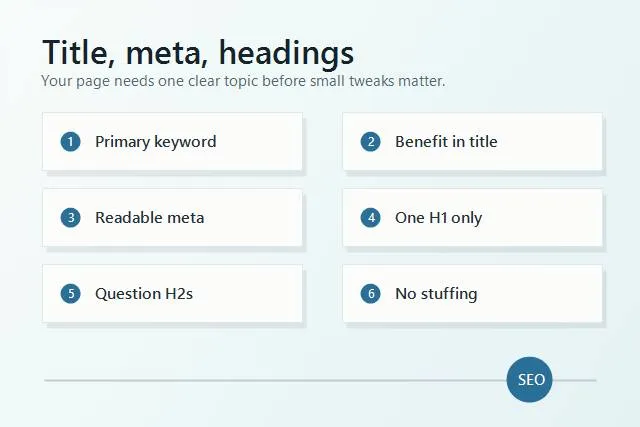
Strong titles, descriptions, and headings keep one topic clear from search result to page body.
What makes the page useful enough to rank?
A page is not useful because it mentions the keyword many times. It is useful because it solves the searcher problem better than the alternatives. For on-page SEO, that usually means the content is complete enough, specific enough, and easy enough to act on.
Improve the main content with these checks:
- Answer the core question in the first 100 words. People should not have to hunt for the point.
- Add practical examples. Show a weak title and a better title. Show what a good internal link looks like.
- Cover the next logical questions. If someone learns what to fix, they will also wonder how to measure it.
- Remove generic filler. Replace broad claims with steps, screenshots, short explanations, or examples.
- Update stale information. Old screenshots, old tool names, and old dates reduce trust.
- Make the page readable on mobile. Short paragraphs, lists, and clear headings matter.
For a business site, useful content often includes service areas, pricing context, process, FAQs, proof, and next steps. For an informational blog post, useful content includes definitions, steps, examples, mistakes, and a simple checklist. The format should follow the intent.
Do not make every page huge. Some pages need depth; others need clarity. A local service page may need 700 very useful words. A competitive guide may need 2,000 words because the topic has more questions. The right length is the length that answers the intent without wasting the reader time.
How do links, images, and schema support on-page SEO?
Once the page promise and content are solid, supporting elements help search engines and readers move through the site.
Internal links
Internal links show relationships between pages. Link from the current page to the next useful resource with descriptive anchor text. If your article mentions image optimization, link to a guide about alt text for images. If a section mentions technical cleanup, link to your guide on finding and fixing broken links.
Avoid automatic link stuffing. Five helpful links are better than twenty random links. The reader should feel guided, not trapped in a maze.
Images and alt text
Images should explain, demonstrate, or support the page. Compress them before upload, use explicit width and height, and describe meaningful images with alt text. Decorative images can use empty alt text, but important screenshots, diagrams, and product photos should have useful descriptions.
Schema
Structured data helps define what the page is. BlogPosting schema is appropriate for most blog articles. FAQ schema can be useful when the page includes a real FAQ section. Do not add schema that does not match visible content.
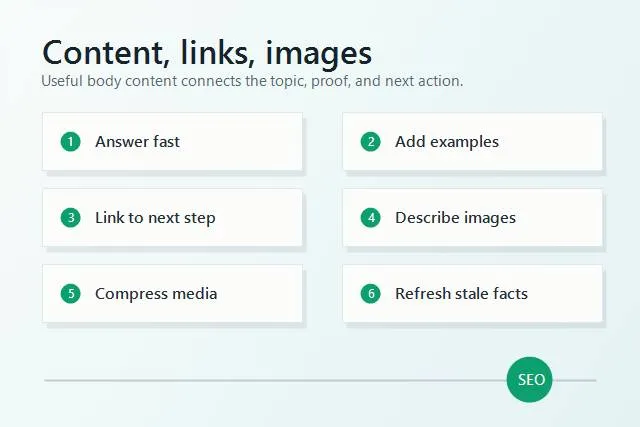
Content, internal links, and images should support the same search intent instead of pulling the page in different directions.
How do you measure whether on-page changes worked?
After you update a page, do not judge the result the next morning. Google needs time to recrawl, reprocess, and test the page. For most small sites, a practical review window is two to eight weeks depending on crawl frequency and search volume.
Use Google Search Console to compare before and after:
- Impressions: is Google showing the page for more relevant queries?
- Average position: did the page move closer to page one?
- Clicks: did the page earn more organic visits?
- CTR: are more people clicking when they see the result?
- Queries: are the terms aligned with the page intended topic?
CTR is especially useful after title and meta description changes. Rankings are useful after content and intent improvements. Query data is useful when a page starts ranking for the wrong topic, because it tells you whether the content needs to be refocused or split.
SerpCue Google Search Console SEO workflow helps turn that data into actions: which pages are close to page one, which snippets have weak CTR, and which fixes should come before the rest.
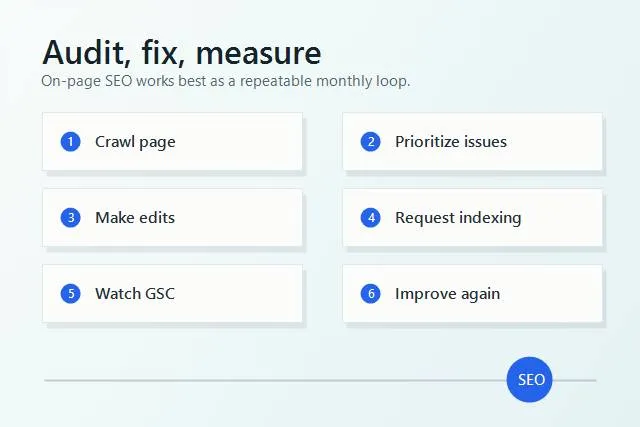
On-page SEO is a loop: audit the page, make the highest-impact edits, then measure the result in Search Console.
Common on-page SEO mistakes
Most on-page SEO problems are not mysterious. They come from unclear focus, thin content, or trying to optimize for too many things at once.
- Using the same title pattern on every page. Templates are fine, but every important page needs a specific promise.
- Writing for keywords before intent. A keyword tells you the topic; intent tells you the page format.
- Adding multiple H1s because they look big. Use CSS for design and heading tags for structure.
- Publishing without internal links. Orphaned pages are harder for users and search engines to discover.
- Ignoring images. Oversized images slow the page, and missing alt text weakens accessibility.
- Never checking results. SEO is not finished when the edit is saved. The measurement step closes the loop.
If you fix only one thing today, pick one important page and make its purpose unmistakable. Rewrite the title, make the intro answer the query, clean up the headings, and add one helpful internal link. That small pass is often more valuable than making tiny edits across twenty pages.
FAQ
What is included in on-page SEO?
On-page SEO includes the page title, meta description, URL, H1, headings, main content, internal links, images, alt text, schema, and how well the page matches search intent.
How often should I update on-page SEO?
Review important pages every few months, or sooner when Search Console shows falling clicks, weak CTR, or queries that no longer match the page. Blog posts can often be refreshed when facts, examples, screenshots, or internal links get stale.
Is on-page SEO enough to rank?
Sometimes, especially for lower-competition topics or pages that were already close. For competitive searches, on-page SEO is still necessary, but technical health, site authority, content depth, and links also matter.
How long does on-page SEO take to work?
Small changes can be recrawled quickly, but meaningful performance changes usually need a few weeks of data. Use Google Search Console to compare impressions, position, clicks, and CTR before and after the edit.
Next step
Choose one page that matters to your business and run through this checklist in order: intent, title, H1, intro, headings, content, links, images, schema, and measurement. If you want SerpCue to find the issues for you, start with the SEO audit tool and use the results as your first on-page cleanup list.


