Title Tags for SEO: How to Write Titles That Get Clicked
A practical guide to writing title tags that help search engines understand your page and give searchers a reason to click.

Title tags are the HTML page titles that search engines can use as the blue clickable headline in search results. A good title tag tells Google what the page is about and tells a real person why the page is worth opening. If you own a website and do SEO yourself, title tags are one of the highest-impact on-page changes you can make because they affect both relevance and click-through rate.
The job is not to stuff keywords into 60 characters. The job is to write a clear promise for one specific page. The best title tags match search intent, include the main keyword naturally, describe the benefit, and stay honest about what the page actually contains.
Table of contents
- What is a title tag?
- Why do title tags matter for SEO?
- How do you write title tags for SEO?
- Title tag examples by page type
- Common title tag mistakes
- Why does Google rewrite title tags?
- How do you measure title tag changes?
- FAQ
What is a title tag?
A title tag is an HTML element that defines the title of a web page. In code, it appears inside the page head like this:
<title>Title Tags for SEO: Examples and Best Practices</title>Visitors may see it in browser tabs, bookmarks, shared previews, and search results. Search engines use it as one signal to understand the page topic. Google may also use it as the visible headline in the search result, although it can rewrite the headline when it thinks another version better matches the query.
That means the title tag is both a relevance signal and a tiny piece of copywriting. It needs to be technically clear enough for search engines and human enough for searchers. A title that ranks but earns no clicks is not doing its whole job.
Title tags are not the same as H1 headings. The title tag lives in the HTML head and is often shown outside the page. The H1 is the visible main heading on the page. They should usually be similar, but they do not have to be identical. The title can be optimized for search results, while the H1 can be slightly more natural for someone already on the page.
Why do title tags matter for SEO?
Title tags matter because they help search engines and people quickly understand the page. When a page has a vague, duplicated, missing, or overstuffed title tag, it becomes harder for Google to match the page to the right query and harder for searchers to decide whether to click.
For site owners, title tags matter in three practical ways:
- Relevance: the title confirms the primary topic of the page.
- CTR: the title can make the result more or less attractive when it appears in search.
- Site clarity: unique titles make it easier to audit pages and avoid internal confusion.
A title tag will not magically rank a weak page. If the page does not answer the query, a better headline cannot carry it forever. But when a page is already relevant, especially if it is close to page one or getting impressions with weak clicks, a better title can be a fast win.
This is why title tag work belongs inside a broader on-page SEO checklist. The title gets the click, but the page still needs a clear H1, helpful content, internal links, fast images, and a real answer.
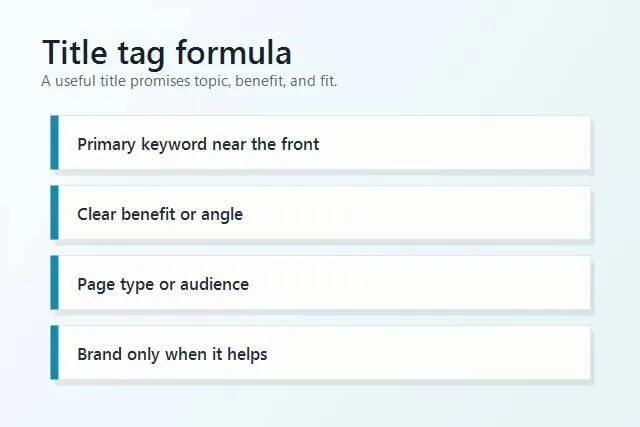
A useful title tag combines the main topic, a benefit, the page type, and the right audience.
How do you write title tags for SEO?
Write title tags one page at a time. Do not start with a site-wide template. Templates can help at scale, but important pages need specific titles that match their intent.
Use this process:
- Choose one primary keyword. Pick the phrase that best matches the page intent. Do not force two unrelated keywords into one title.
- Place the keyword naturally near the front. This helps scanning, but it should still read like a real headline.
- Add a benefit or angle. Tell the searcher what they will get: examples, checklist, pricing, comparison, local service, beginner guide, or step-by-step help.
- Match the page type. A blog post can say guide or checklist. A service page should say the service and location. A product page should say the product and key attribute.
- Keep it concise. Many title tags work best around 50 to 60 characters, but readability matters more than a rigid count.
- Make it unique. Every important indexable page should have a distinct title.
- Check it against the page. If the title promises examples, the page needs examples. If it promises a checklist, the page needs a checklist.
A simple formula is:
Primary keyword + useful angle + page/audience context
For example:
- Title Tags for SEO: Examples and Best Practices
- Emergency Plumbing Services in Austin | Same-Day Help
- Running Shoes for Flat Feet: 7 Comfortable Picks
- SEO Audit Tool for Small Business Websites
Notice that these titles are not trying to say everything. They make one clear promise. That is what makes them stronger than keyword piles.
Title tag examples by page type
The right title tag depends on the page. A homepage, service page, blog post, and product page should not all follow the same pattern.
Homepage title tag
A homepage title should explain what the business does and who it helps. It can include the brand because people may search for it directly.
Weak: Home | Smith & Co
Better: Smith & Co: Bookkeeping for Small Businesses
Service page title tag
A service page should mention the service and, when relevant, location or audience.
Weak: Services
Better: Emergency HVAC Repair in Denver | 24/7 Service
Blog post title tag
A blog title should match the informational intent. If the searcher wants to learn, give them the format and the benefit.
Weak: SEO Tips
Better: Title Tags for SEO: 10 Examples Site Owners Can Use
Product or category page title tag
A product or category title should help buyers understand what is sold and why it fits their need.
Weak: Products
Better: Waterproof Hiking Backpacks for Weekend Trips
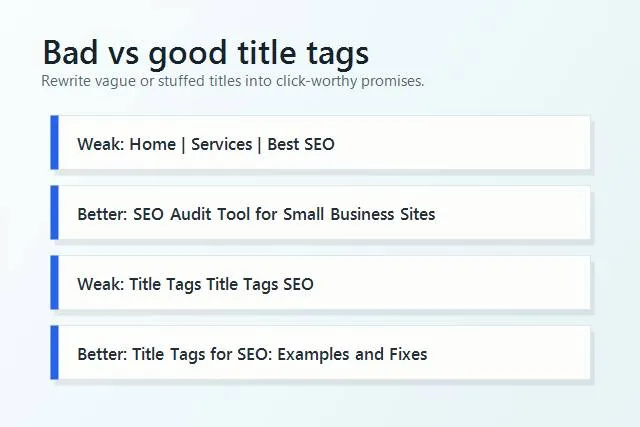
Rewrite vague or stuffed title tags into specific promises that match the page.
Common title tag mistakes
Most title tag problems are simple. They are also common because titles are easy to ignore when a site has dozens or hundreds of pages.
- Missing title tags. A page without a title tag leaves search engines and browsers with less useful context.
- Duplicate title tags. If several pages use the same title, it is harder to understand which page should rank for which query.
- Keyword stuffing. Repeating the same phrase does not make the page more relevant. It makes the result look spammy.
- Titles that are too vague. “Home,” “Services,” and “Blog” do not explain enough.
- Titles that are too long to scan. A title can be technically valid but still too cluttered to earn clicks.
- Mismatch with page content. If the title promises a comparison, but the page is a sales pitch, searchers will bounce.
- Ignoring CTR data. A page with impressions but weak clicks may need a better search result headline.
SerpCue can help find these issues through the SEO audit tool, which checks page titles alongside meta descriptions, headings, image alt text, broken links, and other on-page signals.
Why does Google rewrite title tags?
Google does not always show your exact title tag. It may rewrite the visible search result title using the H1, anchor text, surrounding content, or another page signal. This is frustrating, but it is often a clue that Google thinks your title does not match the query or page well enough.
Common reasons for rewrites include:
- The title is too long or overloaded.
- The title is generic or missing useful context.
- The title is stuffed with repeated keywords.
- The title does not match the visible H1 or page content.
- The same title is used across many pages.
- The brand name takes up too much space before the useful topic.
You cannot force Google to use your title. You can make the title more likely to be useful by keeping it accurate, specific, and aligned with the page. If Google repeatedly rewrites a page title, compare the rewritten version with your version. Sometimes Google is showing you what it thinks the page is really about.
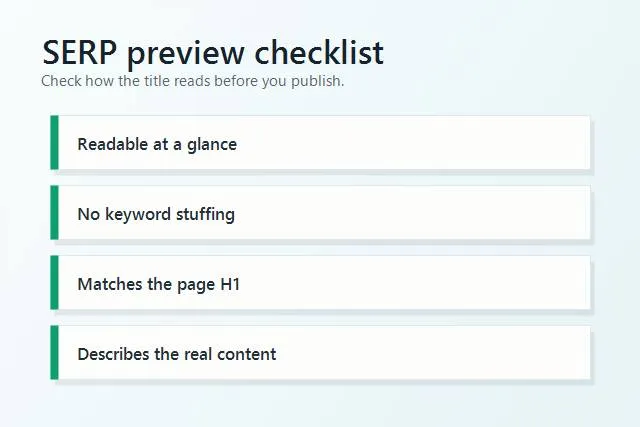
Preview the title like a searcher would: is it clear, honest, readable, and connected to the page?
How do you measure title tag changes?
Do not change a title tag and judge it by feel. Use Google Search Console to compare performance before and after. The cleanest title tag tests are pages that already have impressions. If nobody sees the page yet, CTR data will be thin.
Before editing, record:
- Current title tag
- Main query or query group
- Average position
- Impressions
- Clicks
- CTR
After editing, give Google time to recrawl and collect new data. For many small sites, two to four weeks is a practical first check. Compare the same date range length before and after. If average position stayed similar but CTR improved, the title probably helped. If impressions changed because ranking changed, interpret CTR carefully.
For pages that rank around positions 3 to 10 with weak CTR, title and meta description work can be especially useful. For pages around positions 11 to 20, a title change may help, but content depth and internal links often matter too. SerpCue turns Search Console data into SEO actions so you can see which pages are worth editing first.
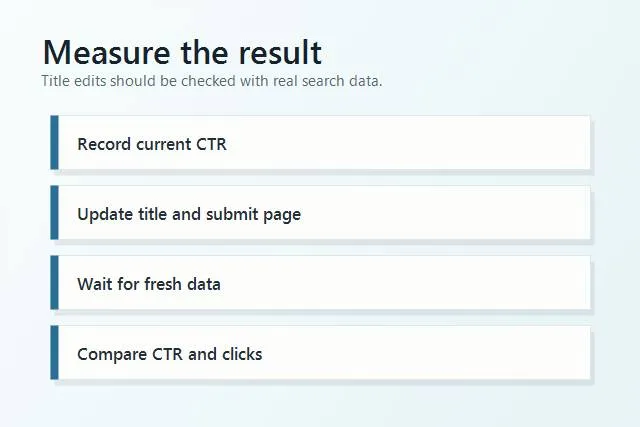
Measure title tag edits with impressions, position, clicks, and CTR instead of guessing.
Quick title tag checklist
Use this short checklist before publishing or updating a page:
- Does the title describe one specific page?
- Is the primary keyword included naturally?
- Would a real person understand the benefit quickly?
- Is the title unique across the site?
- Does it match the visible H1 and page content?
- Is it readable without keyword stuffing?
- Is the brand name useful, or just taking space?
- Can the result be measured later in Search Console?
If you also update the meta description, keep the two working together. The title earns attention; the description gives the searcher one more reason to click. Our guide on writing meta descriptions shows how to make that second line useful without turning it into ad copy.
FAQ
How long should a title tag be?
A practical target is usually around 50 to 60 characters, but there is no exact character limit that guarantees display. Write a concise, readable title that communicates the page clearly.
Should every title tag include the brand name?
Not always. Brand names are useful on the homepage, important service pages, and branded searches. On long informational titles, the brand may take space away from the topic and benefit.
Can two pages have the same title tag?
They can, but they usually should not. Duplicate titles make it harder to understand the unique purpose of each page and can signal that pages are too similar.
Should the title tag and H1 be identical?
They can be identical, but they do not have to be. They should be closely aligned so the search result promise matches what visitors see when they land on the page.
Next step
Pick five important pages and review only their title tags. Look for vague titles, duplicates, keyword stuffing, and pages with impressions but weak CTR. If you want SerpCue to find the title issues for you, run a SerpCue SEO audit and start with the pages that already matter most.


